
Reverse Image Search

View Privacy Policy
Related Tools
Reverse Image Search – Find Similar Images
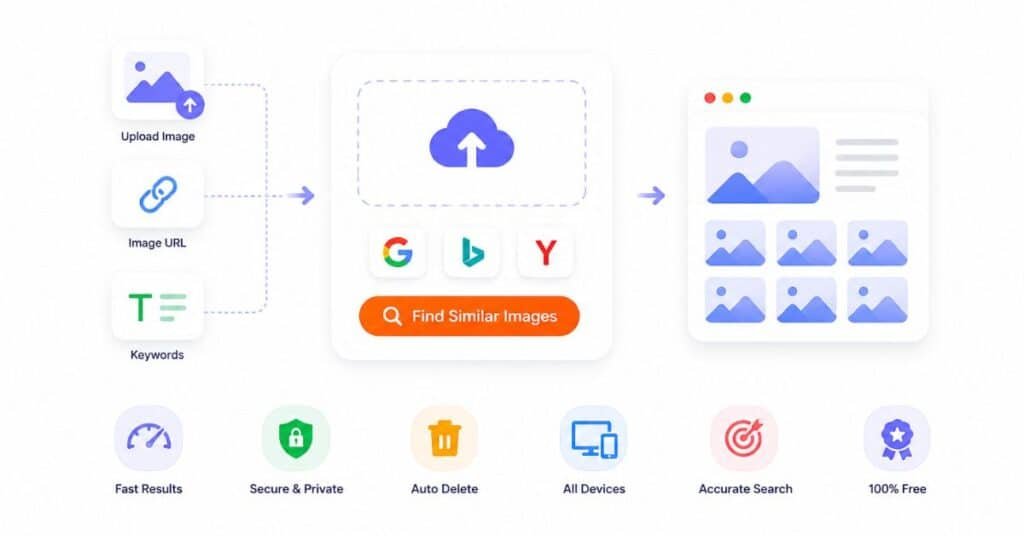
Reverse image search tool helps you find similar images online. Perform image reverse search by using a photo, public URL, or keywords. Our tool lets you perform image search across Google, Bing, or Yandex with one click.
How to Find Similar Images Online?
Follow the steps below to find similar images using our image search tool:
1. Upload your image
You can click inside the box, drag and drop a file, or paste an image directly. You can also paste an image URL or type keywords if needed.
2. Choose Search Engine
Once your image is uploaded, choose the search engine you want to use. By default, it is set to Google images. Our personal recommendation is to go with the default selection.
3. Find Similar Images
Now click on “Find Similar Images.” The tool will open results in a new tab where you can explore matches.
Reverse Image Search Tool – Key Features
- You can use multiple search engines from one place.
- You can upload, drag, or paste images easily.
- The interface stays clean and simple, so you do not get confused.
- It works smoothly on both mobile and desktop devices.
- You do not need to log in or create an account.
- You get fast results without waiting.
Common Use Cases
This tool helps in many real situations. It helps you:
- Find person by image
- Find similar images
- Locate image sources
- Find duplicate images
You can use it for personal, academic, or professional needs.
Find Image Source
You can upload an image and find where it first appeared online. This helps you trace original content and check ownership.
Check Fake Images
You can verify if an image is real or reused. If the same image appears in many places with different claims, you can easily spot it.
Find Similar Products
If you see a product image, you can upload it and find similar items online. This helps you compare options or find better deals.
Identify People or Objects
You can search using a photo to get related results. This can help you learn more about a person, place, or object shown in the image.
Supported Search Engines
You can choose between three powerful search engines. Each one gives slightly different results.
Google provides strong visual matching and broad search results. It works well for general image searches.
Bing
Bing offers alternative results and different indexing. It can help you discover images that Google may not show.
Yandex
Yandex is known for strong image recognition. It often performs well for faces and detailed visual matches.
Privacy and Security
Your privacy matters. This tool does not store or share your images. Images are processed only for search purposes.
Files get deleted automatically after a short time. No personal data is saved or tracked.
How does reverse image search work?
The tool uploads your image and sends it to a search engine. Then the search engine compares it with its database and shows similar or matching images.
Is this tool free?
Yes. You can use it anytime without paying anything.
Do you store my images?
No. The tool does not store your images. They are removed automatically after a short time.
Why does it take time sometimes?
Large images take longer to upload. Slow internet can also increase the time. Once the upload finishes, results appear quickly.
Can I search without uploading an image?
Yes. You can paste an image URL or enter keywords to search.
Ready to Find Similar Images?
Start now. Upload your image, choose a search engine, and explore results in seconds. This tool makes image search simple, fast, and reliable.