
Free Image Converter Online
Online image converter. Use our free image file converter to convert your images into WEBP, JPG, JPEG, or PNG instantly. No signup required.
Upload up to 10 images (PNG, JPG, JPEG, WEBP)
We do not store or share your data. Privacy Policy
Converted Images
Related Tools
Free Image File Converter – Fastest to Date
Need to convert image file types? No more need to pay for a premium subscription. SEOWriter101 brings you this online image converter completely for free. There are no usage limits, no daily caps. Convert images into the desired format as many times as you want.
You do not need any complex tools. You do not need editing skills. Our photo converter lets you convert photos fast with just a few clicks.
Supported Formats
- JPG
- JPEG
- PNG
- WEBP
What You Can Do
- Convert one or multiple images at once
- Switch between all major image formats
- Keep original quality and size
- Bulk download (also FREE)
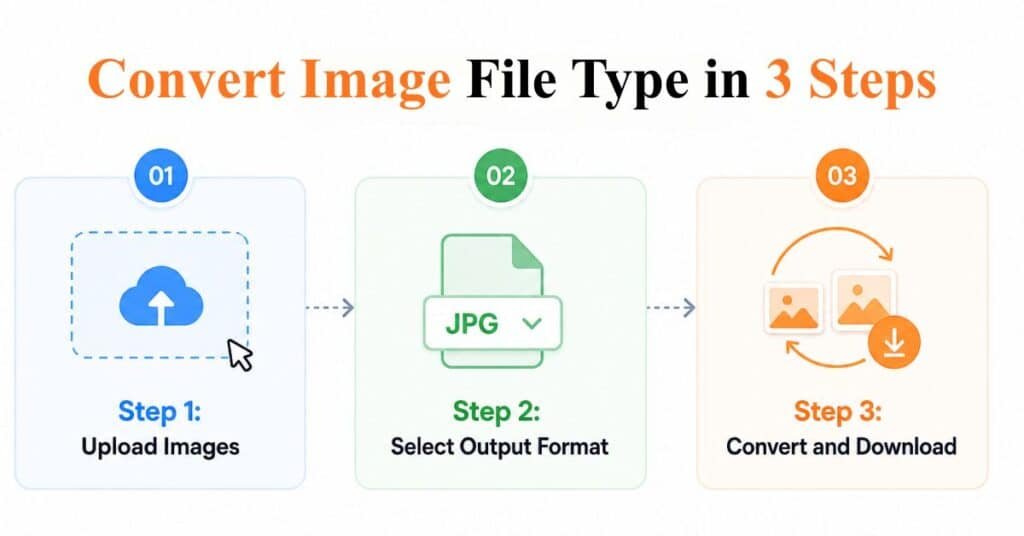
How to Use Our Image Converter?
With our tool, you can convert your images in three simple steps.
Step 1: Upload Images
Drag and drop your images. Or click to upload. You can even paste images.
Step 2: Select Output Format
Choose the format you want. JPG, JPEG, PNG, or WEBP.
Step 3: Convert and Download
Click convert. Then download images one by one or all together.
Features of Our Photo Converter
This online image converter focuses on speed, simplicity, and privacy. It helps you convert images without any confusion or delay.
Batch Conversion
You can upload up to 10 images at once. Then you can convert all of them in one go. This saves your time because you do not need to convert images one by one. It also makes your workflow faster when you have multiple files.
Fast Processing
Your images convert in seconds. You do not have to wait for uploads or server processing. Since everything runs in your browser, you get instant results. This helps when you need quick conversions for urgent tasks.
No Quality Loss
Your images keep their original clarity and size. The tool does not reduce quality during conversion. So you get clean and sharp images every time. This is useful for websites, social media, and professional work.
Secure and Private
Your files stay on your device. We do not upload, store, or share anything. This means your data stays safe. You can convert personal or sensitive images without any risk.
Works on All Devices
You can use this tool on mobile, tablet, or desktop. It works smoothly on all screen sizes. So you can convert images anytime and anywhere without installing any app.
Why Use This Image Converter
There are many tools online. But most are slow, limited, or unsafe. Ours keeps things simple.
- No signup required
- No watermark added
- No file storage
- Clean and easy interface
- 100% free to use
Common Use Cases
Different people have different image needs. Our photo converter helps fulfill those different conversion needs.
- Convert WEBP to JPG for better compatibility
- Convert PNG to JPG to reduce file size
- Prepare images for websites
- Optimize images for faster loading
- Get images ready for email or uploads
Frequently Asked Questions
Is this tool free to use?
Yes, this online image converter is completely free. You can use it as many times as you want without paying anything. There are no hidden charges, no sign-up, and no limits on how often you can convert images.
Do you store my images?
No, we do not store your images. Everything happens inside your browser. Your files do not get uploaded to any server. This means your images stay private and secure on your device at all times.
Will image quality reduce?
No, your image quality stays the same during conversion. The tool keeps the original clarity, resolution, and dimensions as much as possible. This helps you use the converted images without any loss in quality.
Can I convert multiple images at once?
Yes, you can convert multiple images at the same time. The tool allows you to upload up to 10 images in one go. This makes it faster and easier, especially when you have many files to convert.
Which formats are supported?
This tool supports all major image formats. You can convert between JPG, JPEG, PNG, and WEBP. These formats cover most use cases, including web images, social media, and general file sharing.