
PNG to WEBP Converter
Use this free PNG to WEBP Converter to convert PNG into WEBP quickly. Just upload your PNG files, click convert, and download as WEBP.
Upload up to 8 PNG images (max total 10MB)
Converted Images
Related Tools
PNG to WEBP Converter – Fast, Free, and Simple
Convert your PNG images to WebP in seconds. This tool is built for speed, simplicity, and real results. You do not need to sign up. You do not need any software. Just upload your images, click convert, and download your optimized WebP files instantly.
Convert PNG to WEBP in Seconds
Our PNG to WebP tool helps you get images in WEBP without losing quality. WebP is a modern image format that offers better compression than PNG. Your images load faster, and your website performs better.
With this tool, you can:
- Convert PNG into WebP instantly
- Download images one by one or all at once
- Process multiple images in one go
You can upload up to 8 PNG images at once with a total size limit of 10MB.
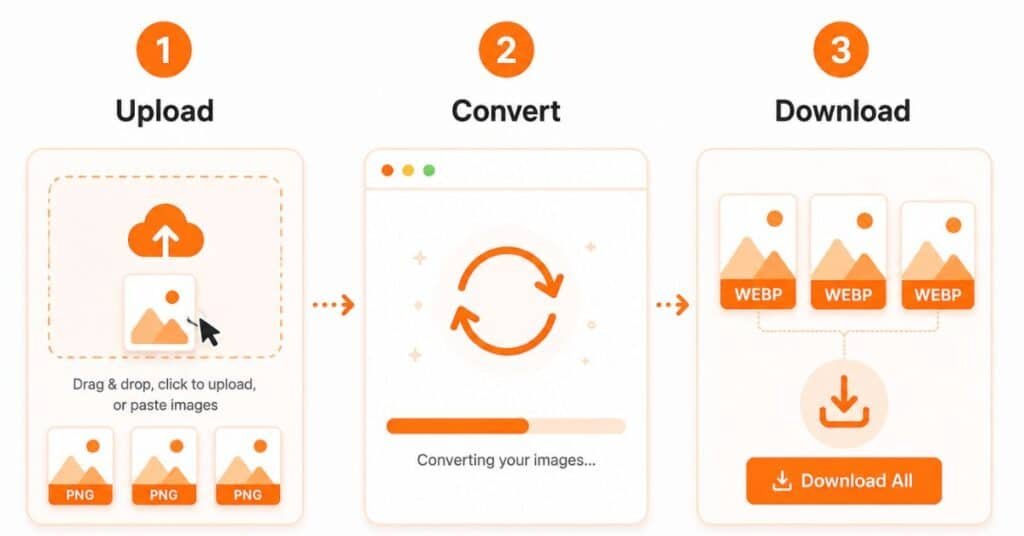
How to Convert PNG to WEBP?
Follow these steps to convert PNG into WEBP easily:
- Upload your PNG images
- Click the convert button
- Download your WebP images
You can also drag and drop files or paste images directly. The tool gives you a live preview before and after conversion. So, you always know what you are getting.
Why Use WebP Instead of PNG?
When you convert PNG into WEBP, you get multiple benefits:
- Smaller file size
- Faster website loading
- Better SEO performance
- Improved user experience
Search engines prefer fast-loading pages. When you use WebP images, your site speed improves. This can help you rank better and keep users engaged.
Perfect for Multiple Use Cases
This PNG to WebP converter works well for:
- Website optimization
- Blog image compression
- E-commerce product images
- UI and design assets
- Social media uploads
Whether you run a website or manage content, this tool helps you save time and improve performance.
Start Converting PNG2WEBP Now
Upload your PNG images and convert them to WebP in seconds. No limits, no hassle, and no hidden steps. Just fast and clean image conversion built for real use.